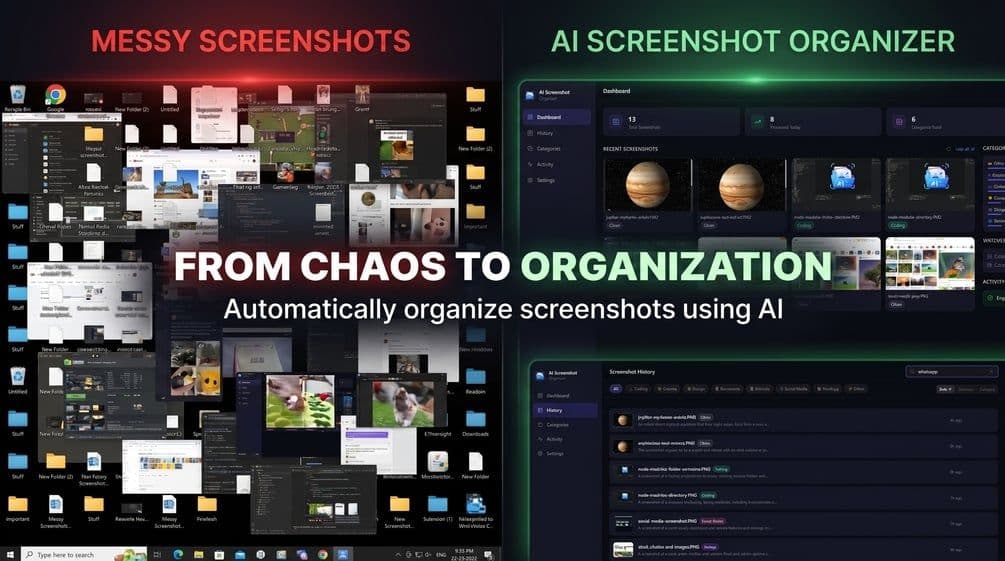
What is AI Screenshot Organizer?
AI Screenshot Organizer tackles the chaos of an overflowing screenshots folder. It reads the text inside each screenshot using OCR, then renames and sorts files automatically based on their content. A Smart Search feature lets you find any screenshot by typing keywords that appear in it — no manual tagging required. Optional AI integration adds a layer of contextual categorization for screenshots where the text alone isn't enough. Works locally on Windows and macOS, so your files stay on your machine. Useful for researchers, writers, developers, and anyone who routinely dumps screenshots into a folder and then spends ten minutes hunting for the right one.
What is AI Screenshot Organizer used for?
Researchers, writers, developers, and content creators use AI Screenshot Organizer to automatically rename, categorize, and search their screenshot libraries by the text inside each image.
How much does AI Screenshot Organizer cost?
One-time purchase
Sold as a one-time desktop app purchase on Gumroad. Check the product page for the current price.
Pros and cons
Pros
• OCR reads the text inside every screenshot, so files are renamed by their actual content • Smart Search finds any screenshot by typing words that appear in the image — no manual tagging • Optional AI categorization sorts screenshots into organized folders automatically • Runs entirely locally on Windows and macOS, so your files never leave your machine • Works across developer, design, study, and marketing screenshot workflows
Cons
• Desktop-only — no mobile or web version • OCR accuracy depends on how clear the text in each screenshot is • The extra AI categorization layer is optional and needs to be enabled
Questions about AI Screenshot Organizer
Does AI Screenshot Organizer work offline?
Yes. It runs entirely on your local computer on Windows and macOS, so your screenshots and their contents never leave your machine.
How does it help me find old screenshots?
The Smart Search feature reads the text inside each screenshot with OCR, so you can find any file by typing keywords that appear in the image — no manual tagging needed.
What platforms does AI Screenshot Organizer support?
It's a desktop application available for both Windows and macOS.
Who is AI Screenshot Organizer for?
Developers, designers, students, marketers, business owners, and content creators — anyone who saves a lot of screenshots and wastes time hunting for the right one.
Reviews
Sign in to rate and review AI Screenshot Organizer.
Sign in to reviewNo reviews yet. Be the first to review AI Screenshot Organizer!